PAYROLL & EXPENSES
Expenses
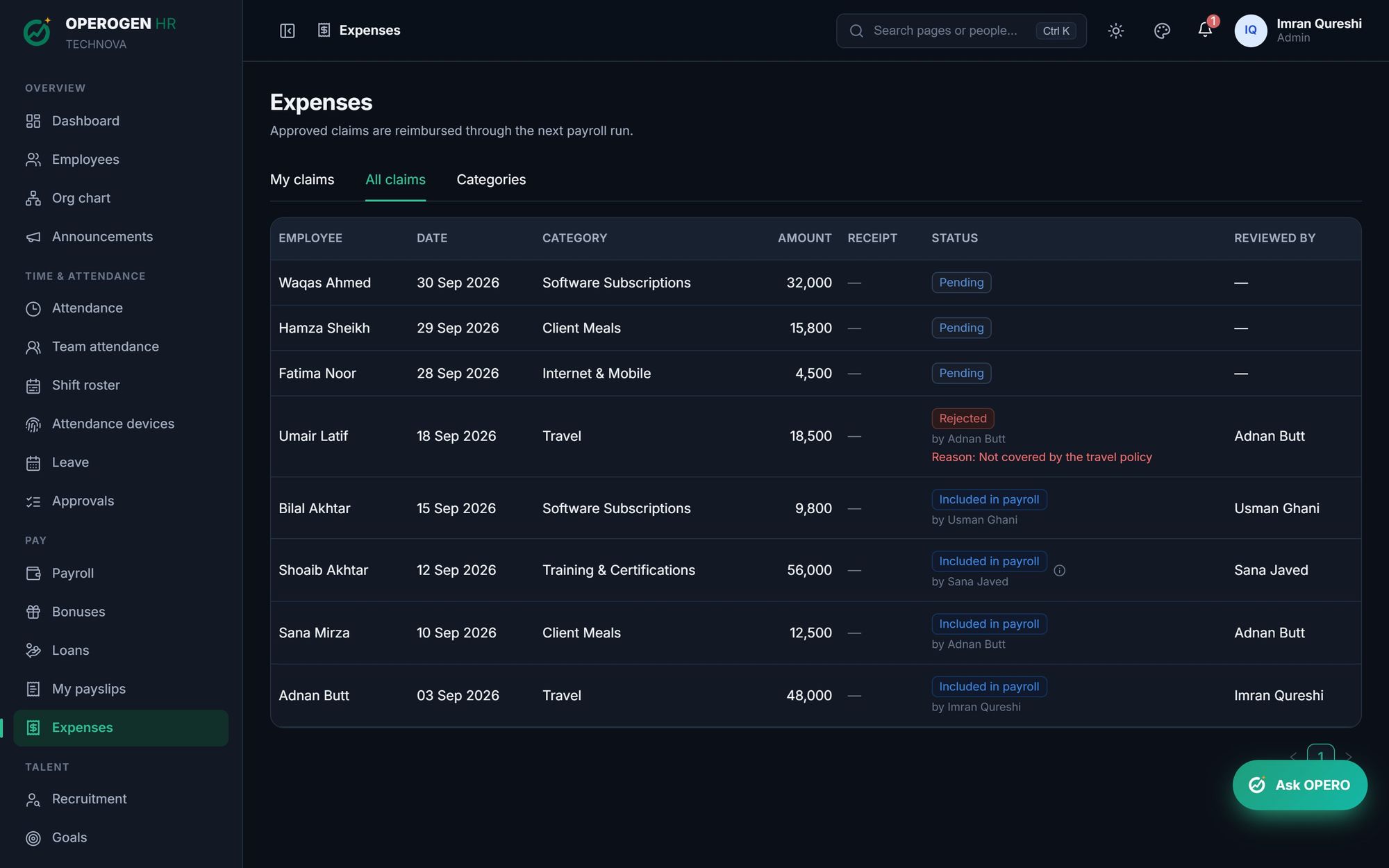
From receipt to reimbursement, without the paper trail. Employees submit claims with a photo or PDF of the receipt. Their manager approves, larger amounts get a second approval, and approved claims are paid in the next payroll.
WHAT YOU CAN DO
Everything in Expenses.
01
Receipts required
Every claim carries proof: a photo or PDF of the bill.
02
Categories
Travel, meals, internet, training: set the categories your company uses.
03
Second approval above a limit
Claims above an amount you choose also go to HR.
04
Paid through payroll
Approved claims are added to the next payroll run automatically.
05
Full status trail
Pending, approved, rejected with a reason, or included in payroll.
HOW IT WORKS
Three steps. That's it.
- 1
Snap the receipt and submit the claim.
- 2
The manager approves it.
- 3
It's paid in the next payroll.
See Expenses in action.
A 30-minute walkthrough of the modules you care about, with your questions answered by the people who built it.