Employees
One record for every person, from joining day to last day. A searchable directory and a complete profile for everyone: job, department, branch, reporting manager, salary, bank details, documents and history. Sensitive details are encrypted, and each role sees only what it should.
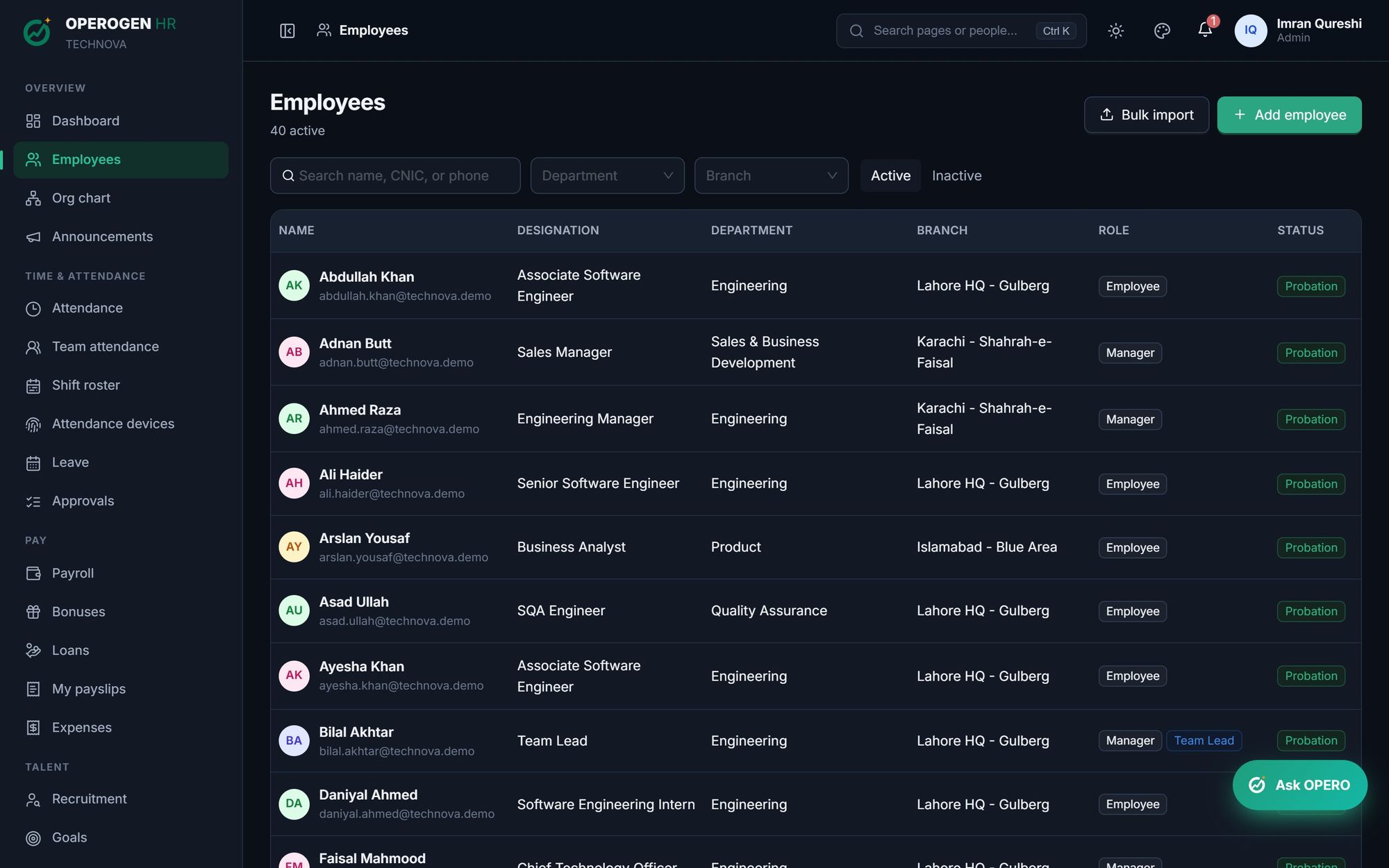
Everything in Employees.
Directory that scales
Search by name, CNIC or email and filter by department, branch and active or inactive.
Bulk import
Bring your existing staff in from a spreadsheet instead of typing them one by one.
Complete profiles
Personal details, job, salary structure, reporting line, shift, documents and bank account in one place.
Probation & confirmation
Track probation end dates, confirm people on time and see who's coming up next.
Promotions, transfers & revisions
Every salary revision, promotion and transfer is kept as history, not overwritten.
IBAN checked as you type
Pakistani IBANs are validated with their check digits and the bank name is filled in from the IBAN.
Documents
Store CNIC copies, contracts and certificates against each employee.
Encrypted personal data
CNIC numbers and bank account details are encrypted in the database.
Three steps. That's it.
- 1
Import or add your employees.
- 2
Assign department, branch, manager and shift.
- 3
Keep records up to date as people grow.
About Employees.
Can managers see their team's salaries?
No. Managers see their team's attendance and requests, not their salaries. Salary is visible to Admin and HR only.
What happens when someone leaves?
Their record becomes inactive and is kept, with full history, for reports and final settlement.
See Employees in action.
A 30-minute walkthrough of the modules you care about, with your questions answered by the people who built it.