Biometric devices
Your attendance machines, connected. Connect ZKTeco and ADMS-compatible machines so punches arrive in real time. The first punch of the day is the check-in and the last is the check-out. Prefer files? Import attendance in bulk instead.
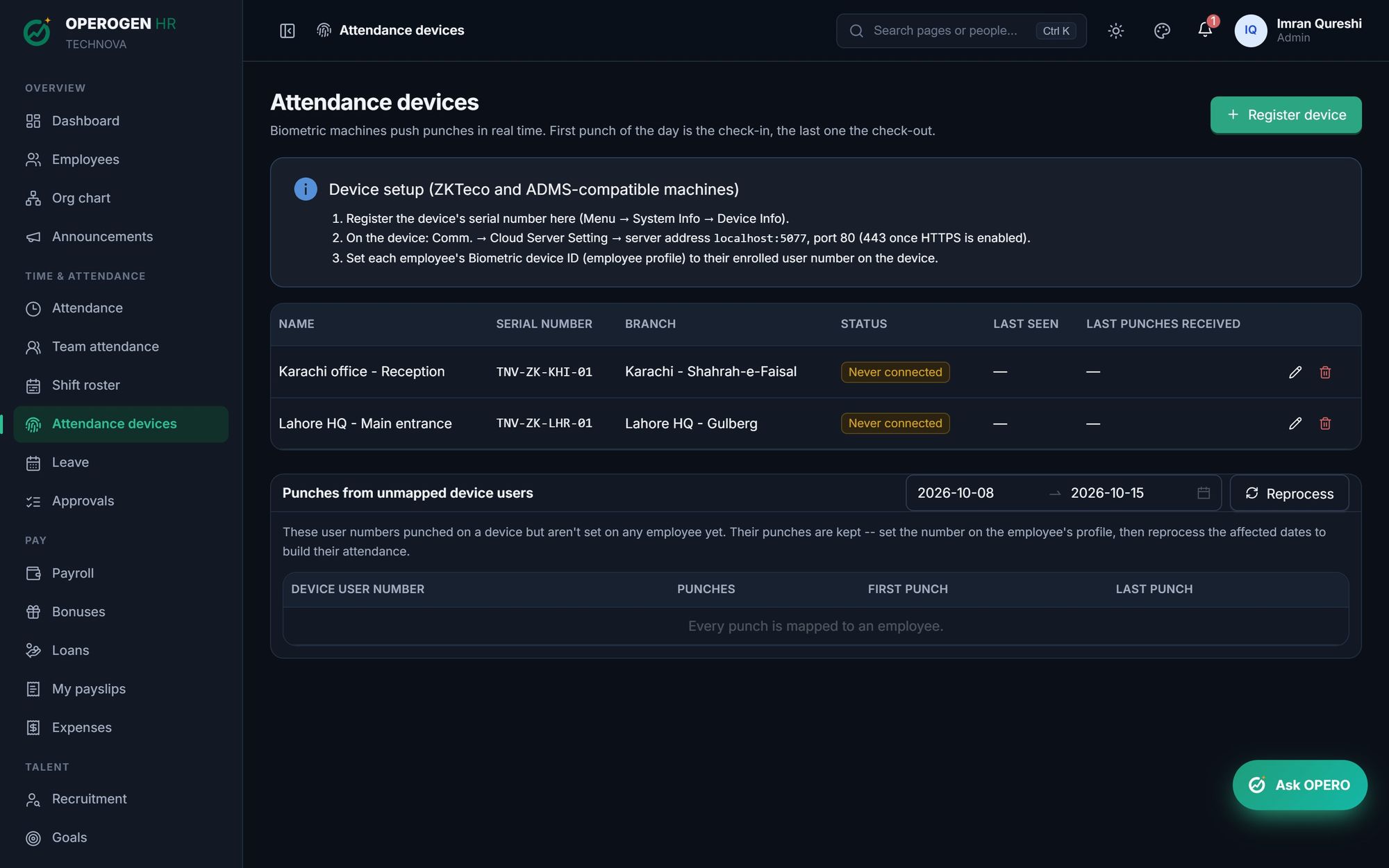
Everything in Biometric devices.
Real-time punches
Devices push punches as they happen, with no manual exports.
Per-branch devices
Register each machine by serial number and branch, and see when it was last seen.
Unmapped punches
Punches from a device user not linked to anyone are kept. Link them and reprocess the dates.
Bulk import
Upload attendance from a file when a device can't connect.
Three steps. That's it.
- 1
Register the device's serial number.
- 2
Point the machine at your OPEROGEN server address.
- 3
Link each employee's device user number.
See Biometric devices in action.
A 30-minute walkthrough of the modules you care about, with your questions answered by the people who built it.